Cleaning System Solutions

Let your cleaning business quote and book itself.

Quote Your Way

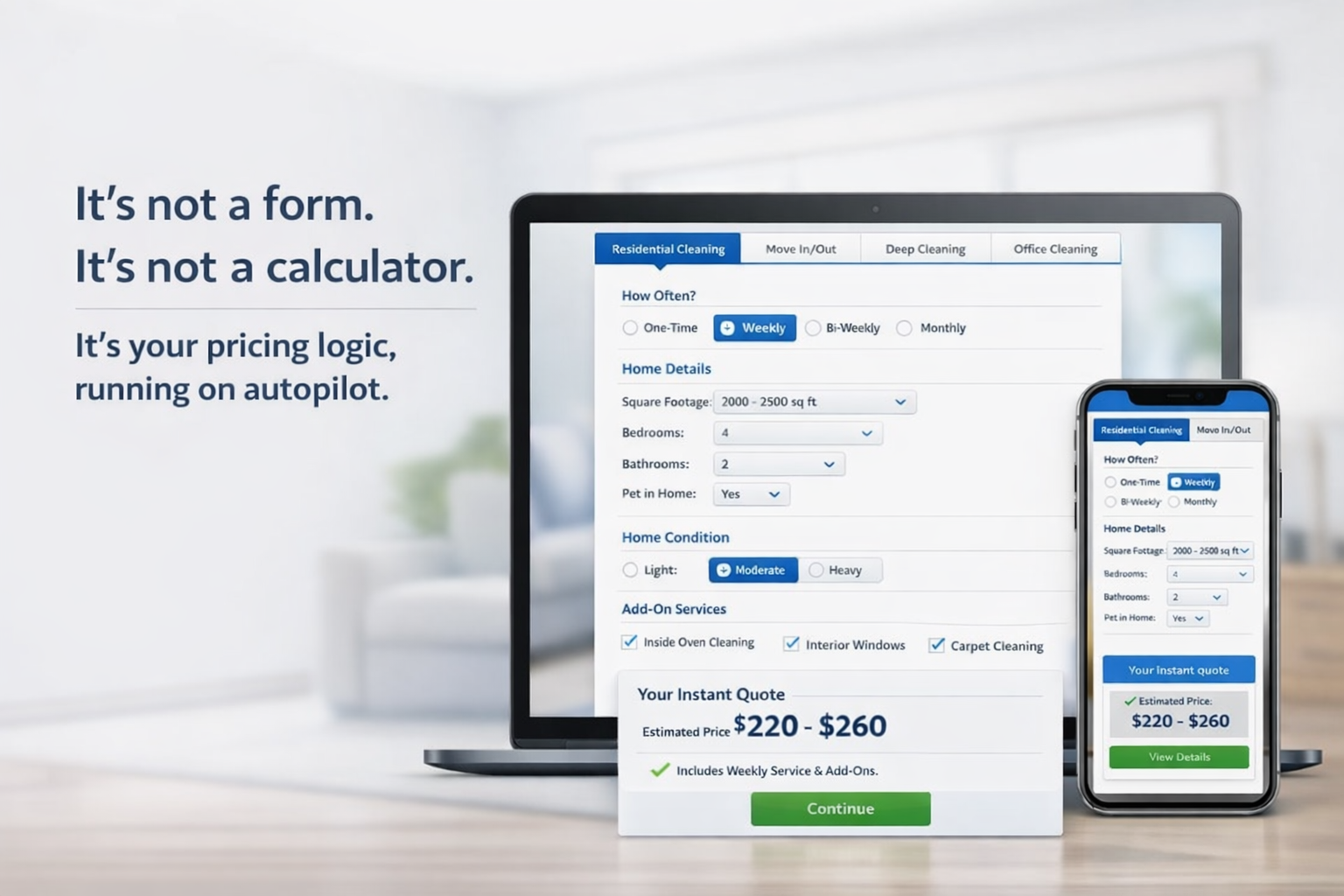
It's not a form. It's not a calculator.
It's your pricing logic, running on autopilot.

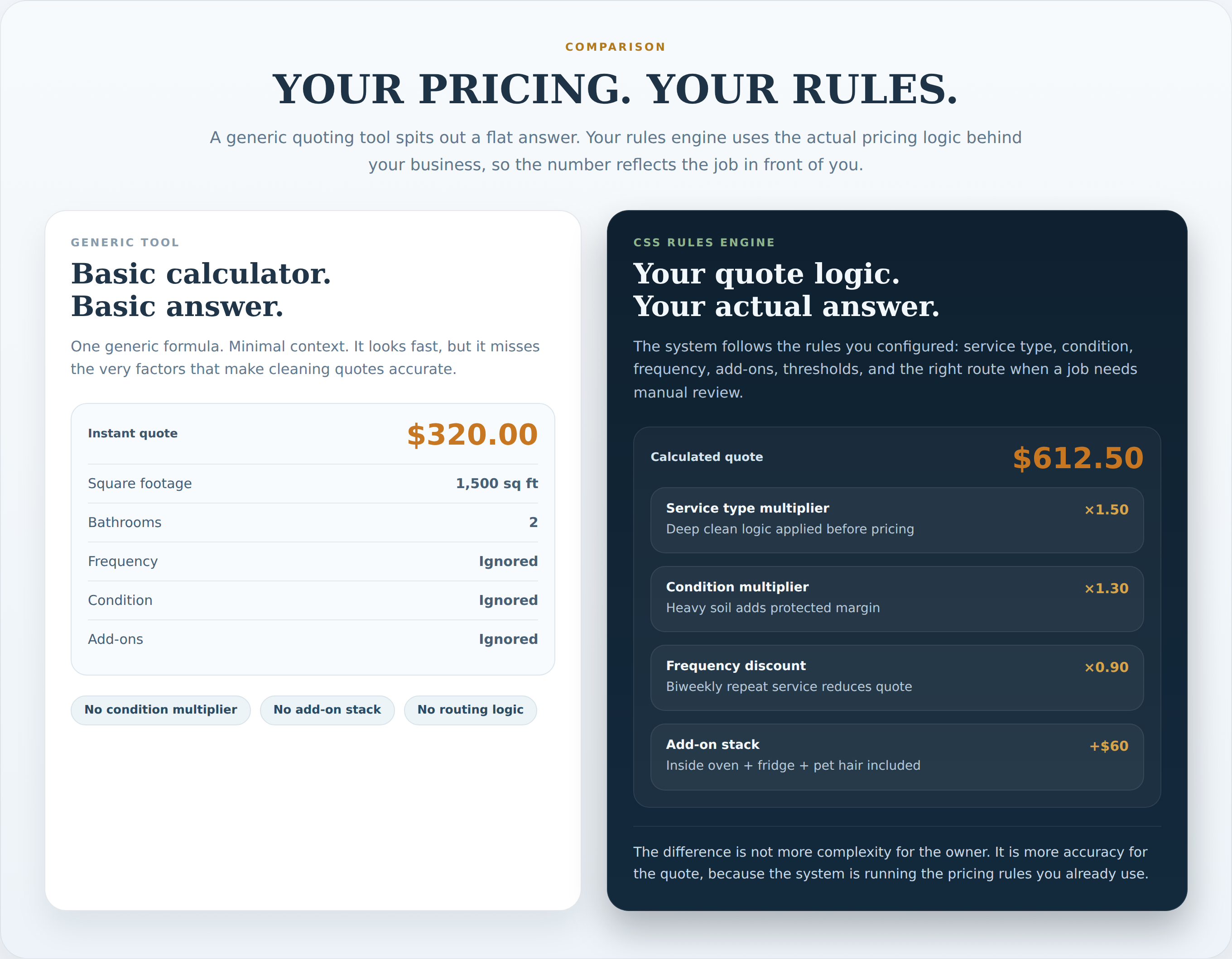
Most quoting tools force you into their pricing model. Ours works the opposite way — it starts with how you already quote, then automates the logic around that.

The quoting widget shown on laptop and phone - not a form, not a calculator
Watch it reason through a real job

Five real scenarios. Watch your rules engine make decisions — see exactly how each job gets routed.

Pick a job type and watch the system read the situation, reference your configured rules, and route the job to the right outcome. No guessing. No generic formula.

Customer Inputs
Your Rules Engine
Outputs
🏠Property & LocationType, address, zip
📐Size & Layoutsqft, beds, baths, floors
⚙️Service Configtype, frequency, date
⚠️Condition & Risksoil level, flags, history
Add-Ons & Accessextras, pets, security
Size Normalizersqft vs bed/bath fallbackactive
Service Classifiertype + scope mappingactive
Risk Scannerflag evaluationactive
Threshold Gatesqft ceiling check3,500 / 5,000
Force Rulespost-con · very heavyowner config
Mode Selectorstandard / hourly / hybridrouting
Input Validatorcompleteness checkscope gate
Base Enginescope × rate formula$80 base
Multiplier Chainservice × cond × freq×1.0 - ×2.0
Add-On Stackper-item pricing$20 ea.
Auto-Quote?within owner limits?decision
Range Builder±12.5% bandfallback
Escalation Gatemanual review triggerguardrail
💰Exact Quoteflat price delivered
📊Price Rangelow-high estimate
📋Pricing Modestandard / hourly / hybrid
🔁Manual Reviewescalated for walkthrough
Rules engine running
Multiplier chain active
Threshold gates live
Quotes evaluated: 0

Your Pricing, Your Rules

The system is configured around how you already quote — not forced into a generic framework.

"This won't quote the way we quote."
The system doesn't come with a pricing formula. You configure it: square footage steps, bedroom and bathroom rates, flat rates, hourly minimums, job-type multipliers, condition adjustments, first-time vs recurring pricing. It runs on your numbers, not a generic preset.
"My business is too custom for a system like this."
Every cleaning business thinks this until they see the configuration. Service type, add-ons, frequency discounts, soil level, commercial facility types, and service window pricing — it's designed for businesses that have real pricing nuance, not simple ones.
"I don't want to be trapped in a black box."
Every rule the system runs on is visible and editable in your Owner Control Panel. You can see exactly how any quote was calculated - which engine ran, which multipliers applied, why a job was auto-quoted or sent to manual review.

You're Still in Charge

The system handles the routine. You keep control of the exceptions - and everything else.

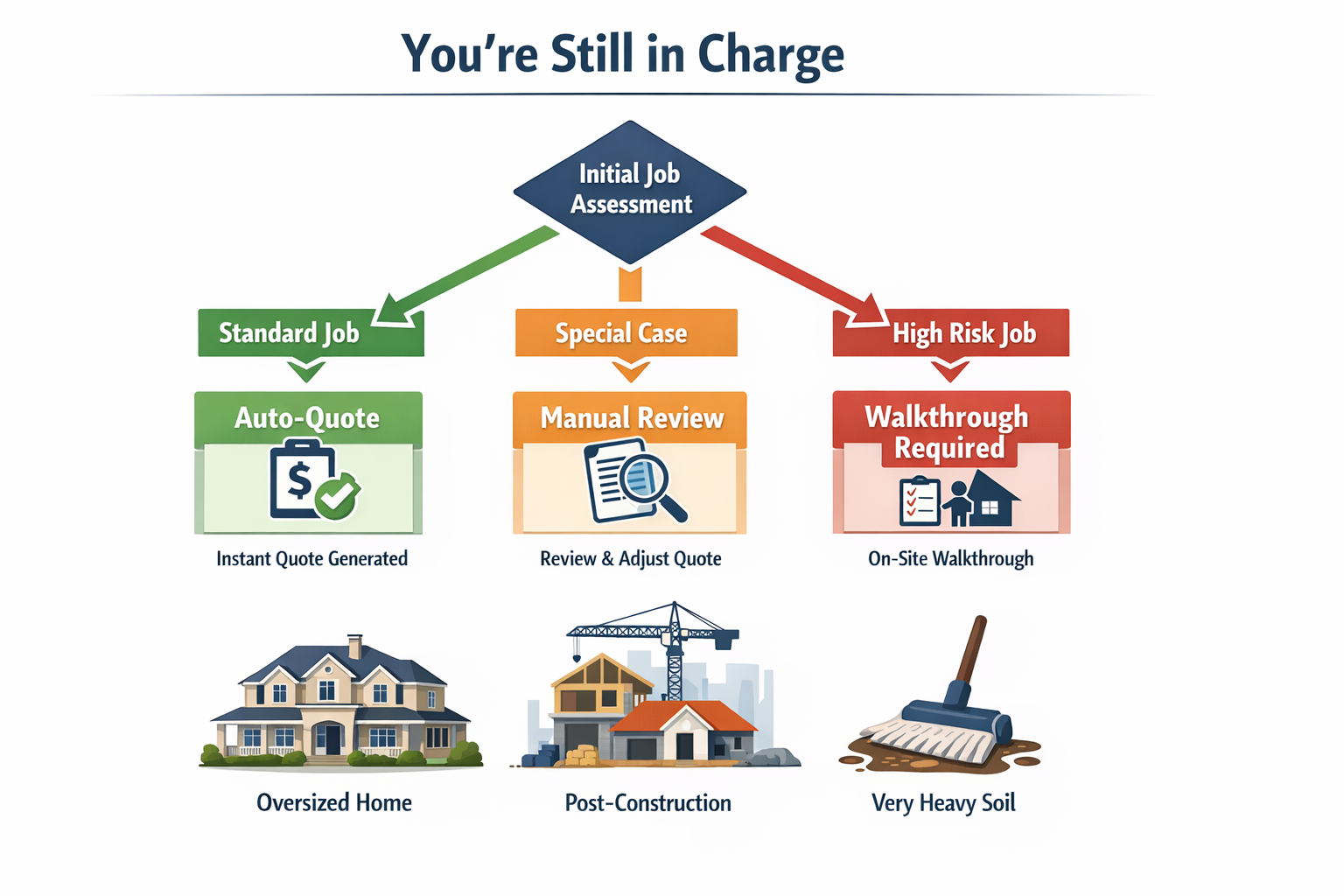
Job routing diagram - Standard Job goes to Auto-Quote, Special Case to Manual Review, High Risk to Walkthrough Required
"I'll lose control over my pricing."
You set every rule: services offered, add-ons available, minimums, condition adjustments, manual-review thresholds. Turn any service on or off at any time. Nothing quotes without your logic behind it.
"Some jobs should never be auto-quoted."
Correct - and the system knows this. You set a square footage ceiling. You configure which job types go to manual review automatically. Post-construction, very heavy soil, oversized homes - the system escalates those instead of guessing.
"What if my customers want a human touch?"
The system handles routine jobs automatically. Any job that meets your escalation rules goes to manual review — same process you use today, just fewer interruptions for straightforward jobs. You keep full control of where the line is.
"This looks like more admin work for me."
It's the opposite. The system handles quote calculation, deposit collection, scheduling, and follow-up. You step in for walkthroughs and exceptions. Routine jobs run without you touching them.

It Changes When You Change

Your pricing will evolve. The system evolves with it — so you're never locked into yesterday's strategy.

"My pricing changes too often for this to work."
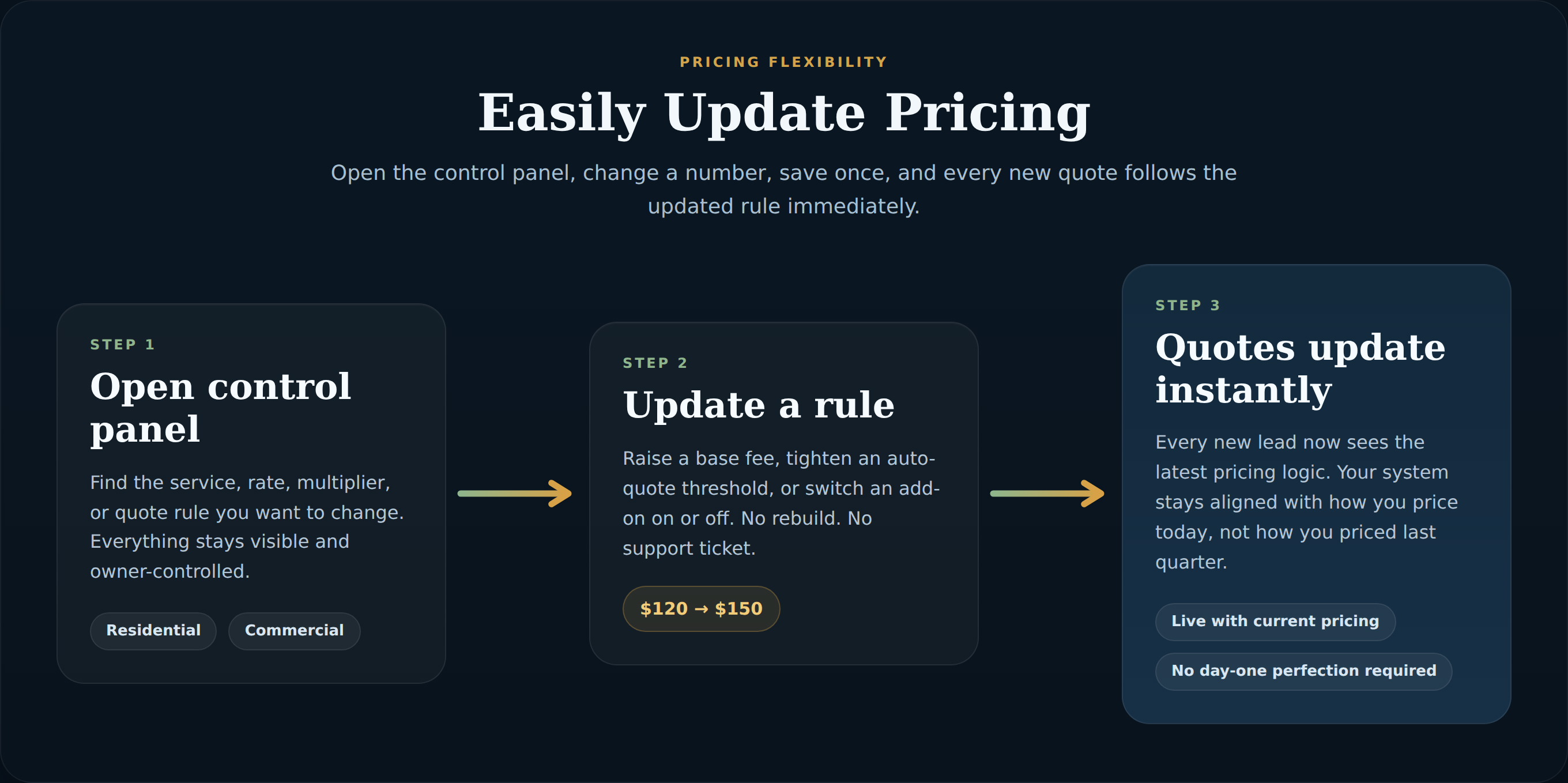
Open the Owner Control Panel, update a number, save. The change applies to every new quote immediately. No rebuild, no support ticket, no waiting.
"I change services, add-ons, and packages all the time."
Each service type has its own toggle. Add-ons can be turned on or off individually without losing their settings. When you bring a service back, it's already configured - you just flip the switch.
"It has to be perfect on day one."
It doesn't need to be. The system launches with your current best pricing. Most businesses make their first adjustment within 2 weeks — that's expected and healthy. You'll see real data to guide those changes.
"What if my team learns better pricing over time?"
Every quote goes into a log. Over time you can see which job types are being manually reviewed most, which add-ons customers select, and where your ranges are getting flagged. That data makes your next pricing update smarter.

Customers and Edge Cases

Real jobs aren't always clean. The system handles that.

"My customers won't fill this out."
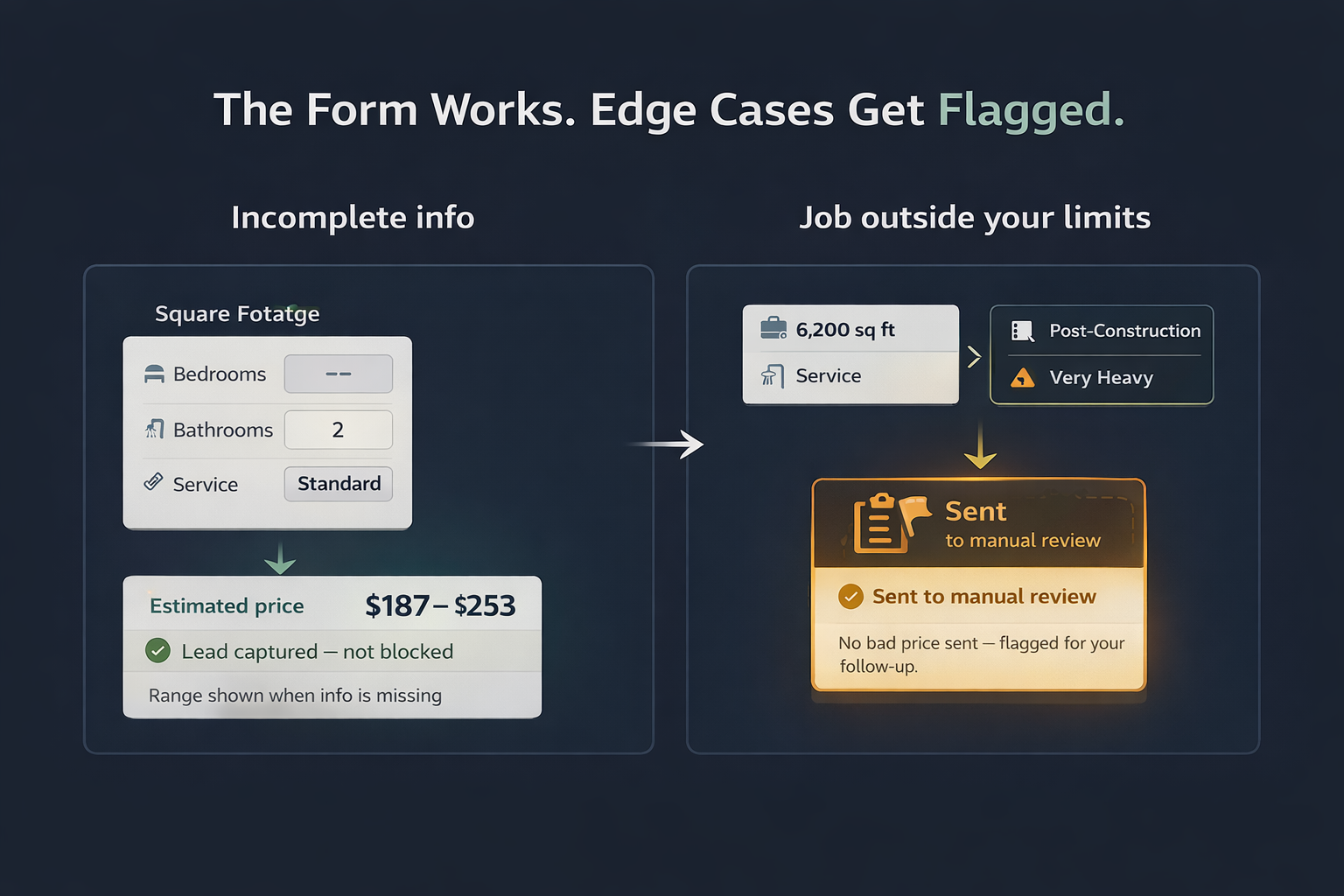
The form adapts to the type of job - residential customers see residential questions, commercial customers see commercial questions. Customers skip optional fields without breaking the quote. If information is missing, the system shows a range instead of blocking the lead.
"What happens when the quote is wrong?"
For jobs inside your thresholds, the quote runs automatically. For anything over your configured limits - large homes, post-construction, very heavy conditions - the system escalates to a manual review or walkthrough request instead of producing a bad quote.

Setup Doesn't Mean Building Software

You're not configuring code. You're filling out your pricing - the same decisions you already make every day.

"This sounds complicated to set up."
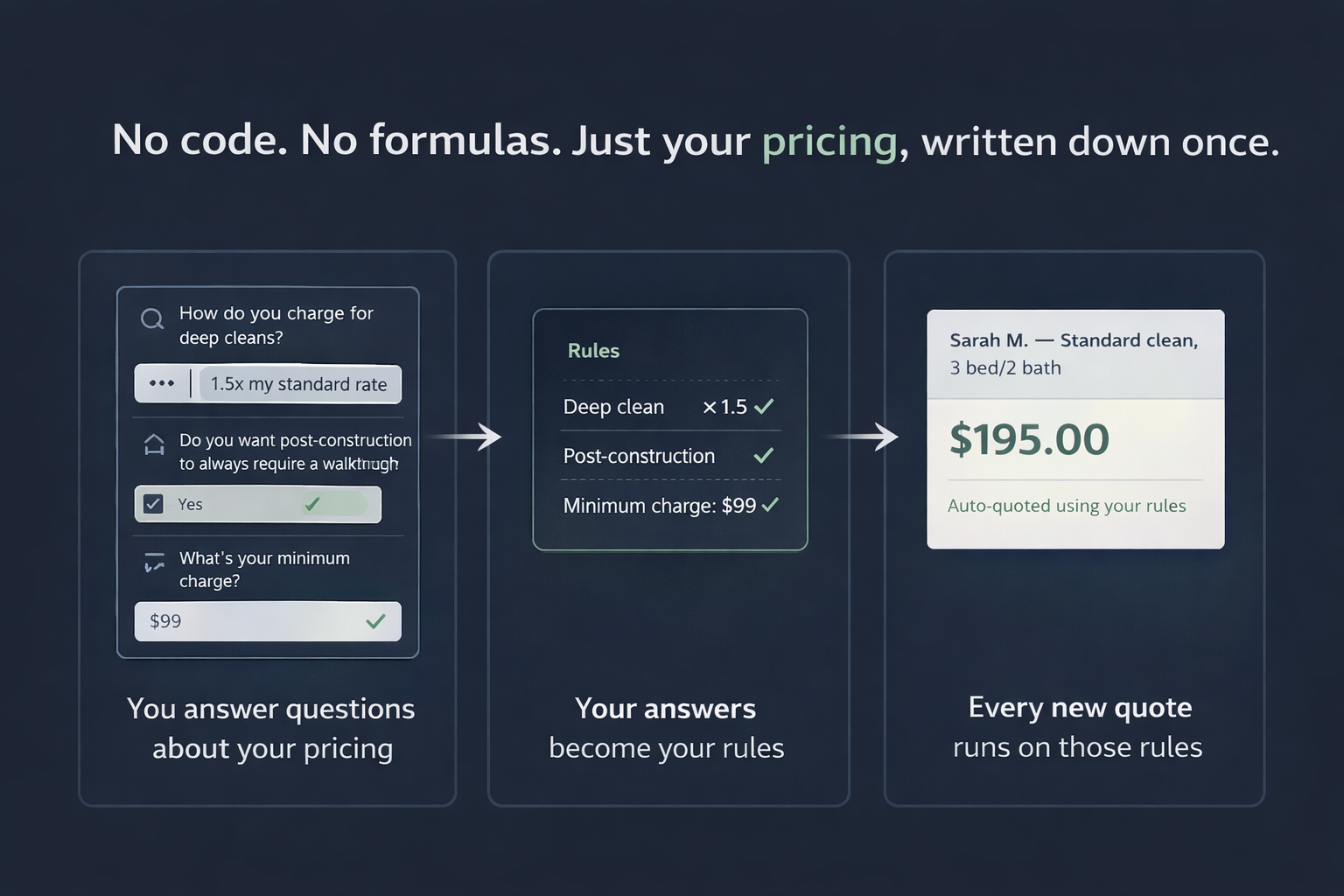
Setup is a structured intake process. You walk through your pricing, services, add-ons, and rules with guidance. The system is configured from your answers. You're not writing formulas or touching code.
"I already have a booking form or booking software."
Booking software handles scheduling. This handles quoting - the step before booking where the right price gets calculated, scope gets confirmed, and bad fits get filtered. Most booking tools skip that step entirely or use a generic form.
Owner Control Panel

Every rule you configure stays visible and editable.

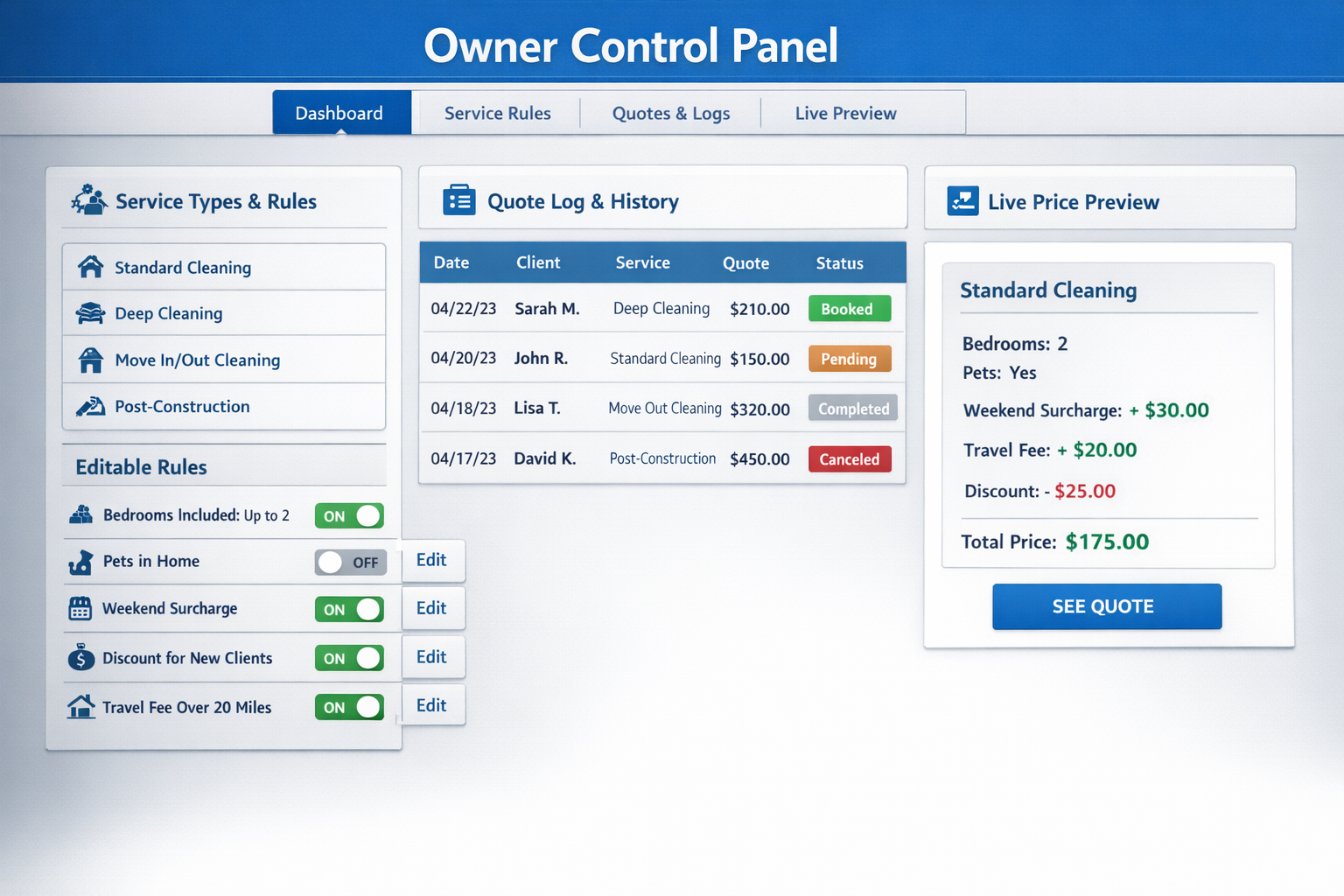
Your pricing logic isn't hidden in code. It lives in a dashboard built for cleaning business owners - plain English labels, organized by service type, with a live preview so you can see exactly what your customers will receive before anything goes live.

  • Residential and Commercial configured as separate service types
  • Facility type multipliers, condition adjustments, service window pricing
  • Add-ons toggled on or off without losing their setup
  • Quote rules set thresholds for auto-quote vs. manual review
  • Changes save immediately and apply to all new quotes
See the Owner Control Panel →
Owner Control Panel dashboard showing service rules, quote log, and live price preview

Ready to get this running for your business?

Answer 5–7 quick questions about how you price jobs and handle new leads. Takes about 2–3 minutes.

Start with the short intake, then review the demo again if you want to compare the flow.

Get Started